

What Is Janitor AI?
Janitor AI is an online chatbot platform built around virtual characters and interactive conversations. If we talk about traditional chatbots, they mainly focus on tasks or information, but Janitor AI is something else. It centers conversations around personality, emotions, storytelling, and roleplay.
Users can interact with thousands of community-created characters or build their own custom bots with unique personalities, backstories, and conversation styles. Some bots act like anime characters, fictional heroes, tutors, relationship companions, gaming partners, or writing assistants.
People use Janitor AI for:
Creative writing
Entertainment and roleplay
Story writing
Gaming companions
Language practice
Character development
Creative brainstorming ideas
Interactive storytelling
Is Janitor AI Free? Janitor AI provides a free version that lets users:
Chat with public bots
Create custom characters
Use basic chatbot features
Access Janitor LLM
For most beginners, the free setup works well for roleplay, storytelling, and casual conversations. However, some advanced features require AI models like OpenAI or Claude APIs. In those cases, users pay the API provider, not Janitor AI itself.
Best Janitor AI Features
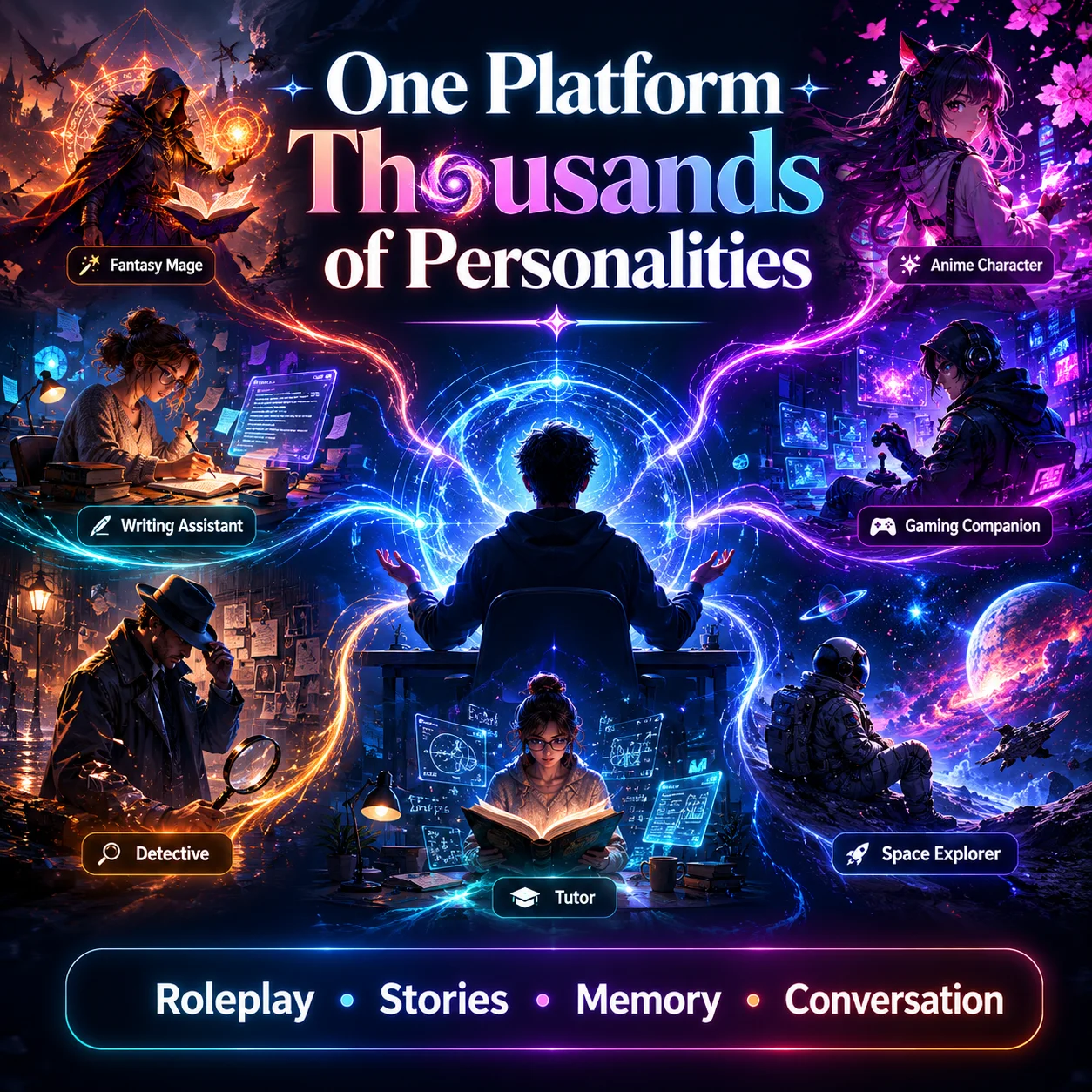
Janitor AI became popular because it gives users far more control than traditional chatbot apps. Instead of basic question-answer conversations, users can build personalities, create story-driven interactions, and customize how bots respond.
Character Creation Tools
Character creation is one of the biggest reasons users join Janitor AI. The platform allows users to create bots with unique personalities, backgrounds, and conversation styles.
1. Personality Traits
Users can define how a character behaves during conversations. Popular personality styles include:
Friendly
Sarcastic
Romantic
Emotional
Serious
Aggressive
Funny
Tip for Better Bots
Avoid vague personality descriptions
Weak example: "Nice character."
Better example: " Calm fantasy healer who speaks politely and avoids modern slang".
2. Scenario Writing
Scenario prompts tell the bot where the conversation takes place. Examples:
Fantasy kingdom
High school anime setting
Space survival mission
Detective investigation
All these help the chatbot stay consistent during roleplay chats.
Note: Keep scenarios short but descriptive. For example:
"You are protecting travelers inside a kingdom during a magical war."
3. Greeting Messages
Greeting messages create the first impression during chats. A strong greeting message:
Sets the mood
Introduces the character
Starts the storyline
Encourages interaction
Weak Greeting: "Hi"
Better Greeting: " The tavern door opens slowly as Elara looks up from an ancient spellbook".
4. Public vs. Private Bots
Janitor AI allows you to create public bots and private bots.
Public Bots: Visible to the community and searchable inside the character library.
Best for:
Roleplay creators
Community interaction
Character sharing
Private Bots: Only accessible to the creator.
Best for:
Personal roleplay
Testing prompts
Experimental characters
Many advanced users test bots privately before publishing them publicly.
Advanced Roleplay and Storytelling Features
Janitor AI became highly popular among roleplay communities because it supports long-form interactive conversations.
1. Long-Form Conversations
Unlike standard chatbots that lose context quickly, Janitor AI supports ongoing conversations with story continuity.
Users can build:
Multi-day storylines
Character relationships
Fantasy adventures
Interactive worlds
2. Emotional Interactions
Many users prefer Janitor AI because characters can respond emotionally instead of sounding robotic.
Characters may show:
Excitement
Anger
Sadness
Affection
Jealouslly
Humor
3. Story Progression
This chatbot continues ongoing narratives over multiple conversations. For example:
Kingdom wars
School drama stories
Survival adventures
Romantic storylines
The AI tracks earlier events to continue the plot naturally.
4. Character Memory
Character memory helps bots recall:
Previous conversations
Relationship history
User decisions
Story events
Read Also: Adaptive AI: Machine Learning That Never Stops Learning
How Janitor AI Works?
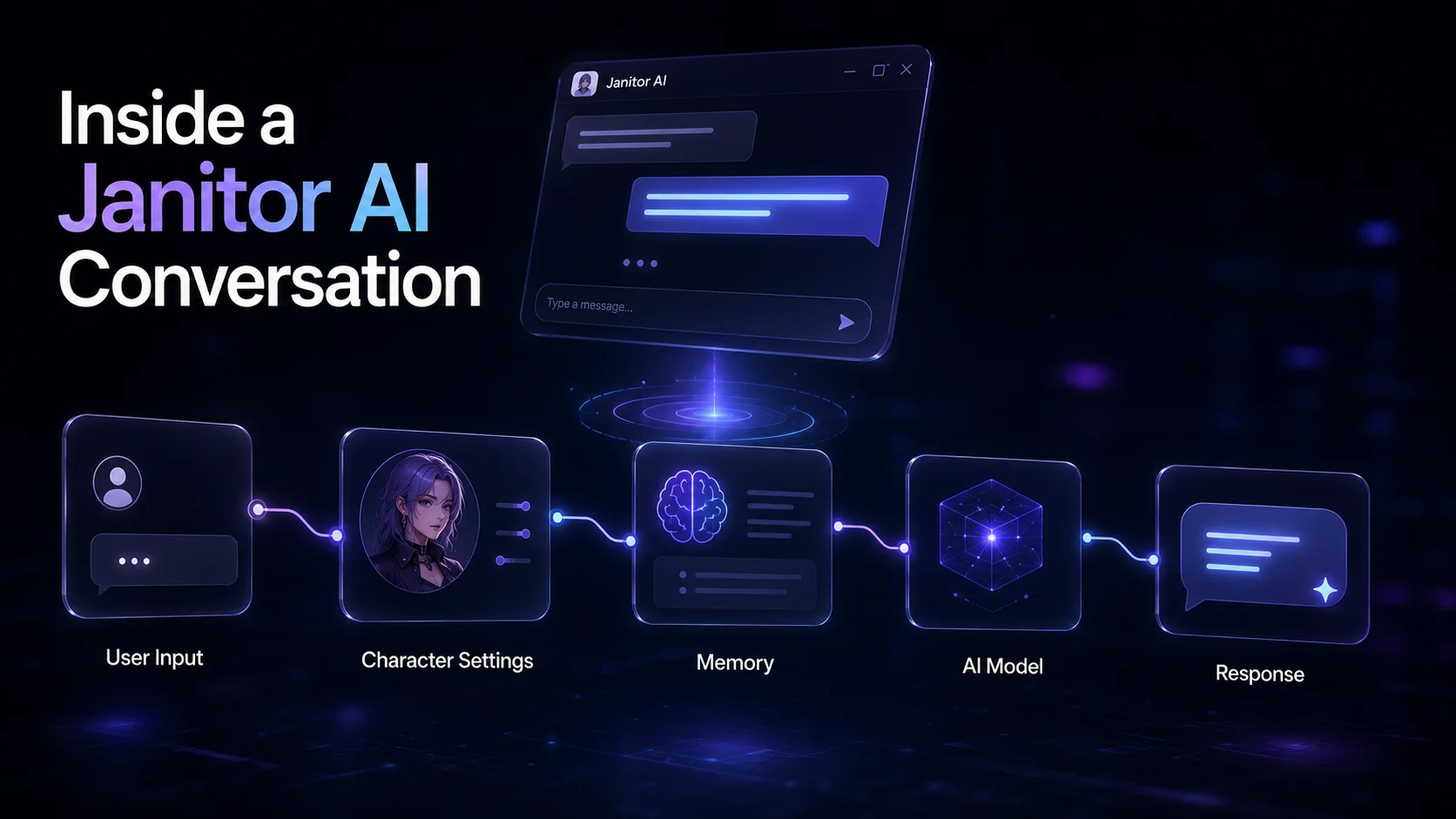
Here's the complete process from account creation to live chatbot interaction:
Step 1: Create a Junior AI Account
Visit the official Janitor AI website and click Register in the top-right corner of the homepage. Most users choose:
Google sign-p
Discord login
Email registration
The fastest option is signing up with a Google account.
After registration:
1. Pick a username
2. Complete age verification
3. Open the main dashboard
Once logged in, users can access trending characters, search bars, community bots, and public chatbot categories.
Users can either:
Click an existing character
Search for a specific bot name
Start creating a custom character
Step 2: Choose or Create a Character
Janitor AI allows users to:
Chat with community-created bots
Build original characters from scratch
What Happens During Character Creation?
Inside the bot creation panel, users define how the chatbot behaves. This setup includes:
Setting | Purpose |
Character Name | Bot identity |
Personality Traits | Friendly, sarcastic, emotional, serious |
Backstory | Character history and background |
Speaking Style | Formal, casual, funny, dramatic |
Scenario Prompt | Defines the conversation setting |
Greeting Message | The first message users see |
Example: A fantasy roleplay bot might include:
Name: Elara
Personality: Calm and intelligent
Backstory: An ancient mage from a hidden kingdom
Speaking style: Formal and poetic
Scenario: Helping travelers during a magical war
This information becomes the bot's behavioral instruction set.
Step 3: Janitor AI Connects to a Language Model
After the character setup, Janitor AI connects the bot to a language model that generates responses. Users can select different AI models depending on quality, speed, and cost.
Common Model Options
OpenAI Models: Popular for better conversation quality, smarter memory handling, and faster replies. Requires OpenAI API key
KoboldAI: Popular among roleplay users because it supports unfiltered conversations, community-hosted models, and local hosting.
Local Models: Advanced users sometimes run models directly on their own computer for more privacy, offline usage, and full customization.
How API Integration Works
The process looks like this:
1. Users enter a message
2. Janitor AI sends the message to the connected model
3. The model generates a response
4. Janitor AI displays the reply in the chat window
The platform itself acts as the interface, while the connected model handles the actual text generation.
Step 4: The AI Generates Responses
Once the connection is active, the language model starts processing conversations.
How the Bot Understands Messages? The AI reads the current message, previous conversation history, personality instructions, and scenario settings. This helps the character stay consistent during chats.
Several factors affecting response quality are as follows:
Factor | Effect |
Memory | Helps the bot recall earlier chats |
Context Handling | Keeps conversations relevant |
Personality Instructions | Maintains character behavior |
Prompt Design | Improves response accuracy |
Janitor AI Message Flow
1. User types: "Tell me about your kingdom."
2. Janitor AI checks:
Personality settings
Backstory
Previous chat history
3. The connected AI model processes the request
4. The model generates a response like:
"The northern kingdom fell centuries ago after the crystal war."
5. Janitor AI displays the reply inside the chat interface.
This process repeats every time a message is sent.
Why is my Janitor AI not working? Common Issues
Janitor AI can sometimes stop responding, load slowly, or show connection errors. Most problems come from API issues, server overload, browser problems, or incorrect settings.
Below are some of the most common Janitor AI problems and steps to fix them:
Issue 1: Janitor AI Not Responding
One of the most common issues happens when the chatbot stops generating replies.
Possible Causes
Server traffic overload
Expired API key
Broken model connection
Internet connection issues
Temporary platform outage
How to Fix it
Refresh the page
Start a new chat session
Check the internet connection
Verify API settings
Switch to another model
Log out and log back in
If the issue affects all bots, the platform servers may be temporarily overloaded. You need to clear the browser cache and disable browser extensions. Try incognito mode and then restart the device.
Note: Google Chrome and Microsoft Edge work best with Janitor AI.
Issue 2: Janitor AI API Not Working
Users connecting external models like OpenAI or KoboldAI may face API errors.
Common API Problems
Invalid API key
API quota exceeded
Billing issues
Wrong endpoint settings
How to Fix it
1. Open API settings
2. Recheck the API key
3. Confirm billing status
4. Generate a new API key if needed
5. Save settings and refresh the chat
Even a small copy-paste mistake can break API connections.
Issue 3: Janitor AI Characters Giving Repetitive Replies
Sometimes bots repeat the same answers or lose creativity.
Why It Happens
Weak character prompts
Limited memory
Low-quality models
Poor scenario setup
How to Improve Responses
Add detailed personality instructions
Write stronger scenarios
Include example dialogues
Switch to a better model
Reset long conversations
Issue 4: Janitor AI Memory Problems
Long chats may lose earlier conversation details.
Signs of Memory Problems
The bot forgets names
Story continuity breaks
Personality changes suddenly
Earlier events disappear
Possible Solutions
Start a fresh session
Use shorter responses
Summarize earlier events manually
Switch to models with larger context windows
Note: Premium models handle long conversations better than free models.
Issue 5: Janitor AI NSFW or Filter Issues
Some users face blocked messages or restricted conversations.
Common Reasons
Safety Filters
Model restrictions
Unsupported prompts
External API limitations
What Users Usually Do
Change the connected model
Modify prompts
Use different API providers
Rewrite blocked messages
Different models apply different moderation systems
Is Janitor AI Safe? Privacy, Security, and Risks
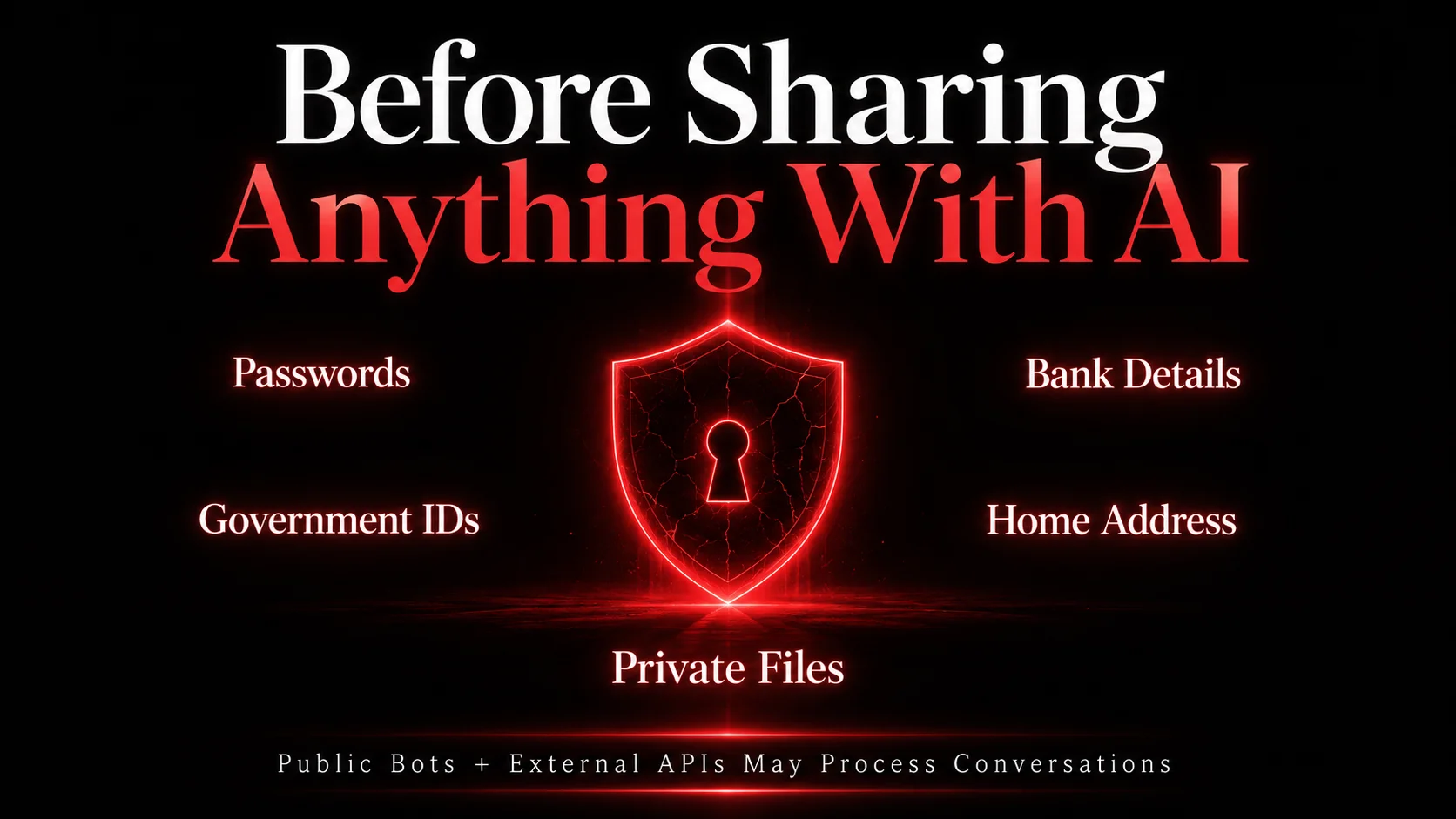
Janitor AI gives users access to custom chatbot conversations, roleplay characters, and external AI models. While using the platform, one must understand how privacy, APIs, and public bots work before sharing sensitive information like where your messages go, who can access them, and how third-party integrations work.
Things you should know before using Janitor AI are as follows:
Chat Privacy
You don't have to assume that your conversations are fully private because public bots may expose prompts or settings, third-party APIs may process conversation data, and shared chats can increase privacy risks.
Risks of Public Bots
Public bots are visible inside the community library and can sometimes contain:
Poorly written prompts
Manipulative instructions
Unsafe external links
Inconsistent moderation
These bots may collect conversation context in unexpected ways through advanced prompting behavior.
Third-Party API Risks
Janitor AI supports external AI providers such as:
OpenAI
KoboldAI
Claude-compatible services
When users connect to external APIs, conversation data may pass through those providers. This creates additional privacy considerations because different providers store data differently, some APIs may log conversations temporarily, but Security policies vary between services.
Users should always review the privacy policies of connected AI providers before using them.
Data Storage Concerns
Chatbot platforms may temporarily store your Conversation history, user settings, personal prompt instructions, and character configurations as well. So you should avoid uploading your passwords, banking details, Government IDs, Private business information, and personal addresses
Once information enters an AI system, users lose direct control over how long it remains stored or processed.
Fake Janitor AI Mobile Apps
Some unofficial apps falsely promise premium access, unlimited chats, free API usage, and faster models. Users have also been reporting fake apps requesting Google account access, Discord permissions, and credit card information.
Warning signs include:
Random download links
Requests for login credentials
Cryptocurrency promotions
Fake verification pages
Avoid clicking unknown links shared during chatbot conversations.
Final Words: Is Janitor AI Worth Using?
Janitor AI is an AI chatbot platform launched in June 2023 by Jan Zoltkowski that enables users to interact with AI-generated characters. The platform rapidly gained traction, surpassing 1 million users within its first week and expanding to over 15 million users by 2026.
Janitor AI works best for users who want customizable chatbot conversations instead of basic question-answer interactions.
Janitor AI Is Best For:
Roleplay fans
Writers and storytellers
Creative users
Anime and fantasy communities
Developers testing chatbot personalities
Users who want advanced character customization
Janitor AI Is Not Perfect For:
Strict enterprise workflows
High-security business systems
Regulated industries
Professional customer support environments
Businesses requiring strong compliance controls
Who Should Try Janitor AI First?
The platform makes the most sense for:
Beginners testing chatbot roleplay
Writers building fictional characters
Developers experimenting with custom AI personalities
Online roleplay communities
Users looking for creative conversations and personality-driven bots will get the most value from Janitor AI.

Rizwana Khan
Philosophy Master’s graduate, AI-certified professional, and content strategist with strong expertise in storytelling, audience psychology, and AI-assisted communication. Rizwana Khan specializes in prompt engineering, SEO content, thought leadership, and brand communication that feels natural, engaging, and audience-focused. Currently working as a Senior Content Executive at SNVA Veranda, she creates compelling content across artificial intelligence, humanities, data analytics, and emerging technology topics. Known for turning complicated ideas into relatable narratives, Rizwana combines creativity, strategy, and modern AI tools to build content that informs, connects, and performs.
Learn how we research, review, and update our content. Editorial Standards & Review Process.

Latest Blogs
8 Why Your PMO Is Dying, and How PRINCE2 7 Could Save It
 Is PRINCE2 Certification Still Worth It in 2026? An Honest ROI Breakdown
 Top 20 Toughest Exams in the World 2026: Students Guide
 $100 Billion AI Automation Boom: Why Businesses Are Investing More in 2026
 CISSP vs. CISA: Which Cybersecurity Certification Controls Your Career?
 What is Continual Learning in AI and Machine Learning?
  What are the Major Benefits of Online DBA Programs?
 CMAT 2027: Exam Date, Syllabus, Exam Pattern, Preparation Tips & FAQs
Featured Courses


What Is Janitor AI?
Janitor AI is an online chatbot platform built around virtual characters and interactive conversations. If we talk about traditional chatbots, they mainly focus on tasks or information, but Janitor AI is something else. It centers conversations around personality, emotions, storytelling, and roleplay.
Users can interact with thousands of community-created characters or build their own custom bots with unique personalities, backstories, and conversation styles. Some bots act like anime characters, fictional heroes, tutors, relationship companions, gaming partners, or writing assistants.
People use Janitor AI for:
Creative writing
Entertainment and roleplay
Story writing
Gaming companions
Language practice
Character development
Creative brainstorming ideas
Interactive storytelling
Is Janitor AI Free? Janitor AI provides a free version that lets users:
Chat with public bots
Create custom characters
Use basic chatbot features
Access Janitor LLM
For most beginners, the free setup works well for roleplay, storytelling, and casual conversations. However, some advanced features require AI models like OpenAI or Claude APIs. In those cases, users pay the API provider, not Janitor AI itself.
Best Janitor AI Features
Janitor AI became popular because it gives users far more control than traditional chatbot apps. Instead of basic question-answer conversations, users can build personalities, create story-driven interactions, and customize how bots respond.
Character Creation Tools
Character creation is one of the biggest reasons users join Janitor AI. The platform allows users to create bots with unique personalities, backgrounds, and conversation styles.
1. Personality Traits
Users can define how a character behaves during conversations. Popular personality styles include:
Friendly
Sarcastic
Romantic
Emotional
Serious
Aggressive
Funny
Tip for Better Bots
Avoid vague personality descriptions
Weak example: "Nice character."
Better example: " Calm fantasy healer who speaks politely and avoids modern slang".
2. Scenario Writing
Scenario prompts tell the bot where the conversation takes place. Examples:
Fantasy kingdom
High school anime setting
Space survival mission
Detective investigation
All these help the chatbot stay consistent during roleplay chats.
Note: Keep scenarios short but descriptive. For example:
"You are protecting travelers inside a kingdom during a magical war."
3. Greeting Messages
Greeting messages create the first impression during chats. A strong greeting message:
Sets the mood
Introduces the character
Starts the storyline
Encourages interaction
Weak Greeting: "Hi"
Better Greeting: " The tavern door opens slowly as Elara looks up from an ancient spellbook".
4. Public vs. Private Bots
Janitor AI allows you to create public bots and private bots.
Public Bots: Visible to the community and searchable inside the character library.
Best for:
Roleplay creators
Community interaction
Character sharing
Private Bots: Only accessible to the creator.
Best for:
Personal roleplay
Testing prompts
Experimental characters
Many advanced users test bots privately before publishing them publicly.
Advanced Roleplay and Storytelling Features
Janitor AI became highly popular among roleplay communities because it supports long-form interactive conversations.
1. Long-Form Conversations
Unlike standard chatbots that lose context quickly, Janitor AI supports ongoing conversations with story continuity.
Users can build:
Multi-day storylines
Character relationships
Fantasy adventures
Interactive worlds
2. Emotional Interactions
Many users prefer Janitor AI because characters can respond emotionally instead of sounding robotic.
Characters may show:
Excitement
Anger
Sadness
Affection
Jealouslly
Humor
3. Story Progression
This chatbot continues ongoing narratives over multiple conversations. For example:
Kingdom wars
School drama stories
Survival adventures
Romantic storylines
The AI tracks earlier events to continue the plot naturally.
4. Character Memory
Character memory helps bots recall:
Previous conversations
Relationship history
User decisions
Story events
Read Also: Adaptive AI: Machine Learning That Never Stops Learning
How Janitor AI Works?
Here's the complete process from account creation to live chatbot interaction:
Step 1: Create a Junior AI Account
Visit the official Janitor AI website and click Register in the top-right corner of the homepage. Most users choose:
Google sign-p
Discord login
Email registration
The fastest option is signing up with a Google account.
After registration:
1. Pick a username
2. Complete age verification
3. Open the main dashboard
Once logged in, users can access trending characters, search bars, community bots, and public chatbot categories.
Users can either:
Click an existing character
Search for a specific bot name
Start creating a custom character
Step 2: Choose or Create a Character
Janitor AI allows users to:
Chat with community-created bots
Build original characters from scratch
What Happens During Character Creation?
Inside the bot creation panel, users define how the chatbot behaves. This setup includes:
Setting | Purpose |
Character Name | Bot identity |
Personality Traits | Friendly, sarcastic, emotional, serious |
Backstory | Character history and background |
Speaking Style | Formal, casual, funny, dramatic |
Scenario Prompt | Defines the conversation setting |
Greeting Message | The first message users see |
Example: A fantasy roleplay bot might include:
Name: Elara
Personality: Calm and intelligent
Backstory: An ancient mage from a hidden kingdom
Speaking style: Formal and poetic
Scenario: Helping travelers during a magical war
This information becomes the bot's behavioral instruction set.
Step 3: Janitor AI Connects to a Language Model
After the character setup, Janitor AI connects the bot to a language model that generates responses. Users can select different AI models depending on quality, speed, and cost.
Common Model Options
OpenAI Models: Popular for better conversation quality, smarter memory handling, and faster replies. Requires OpenAI API key
KoboldAI: Popular among roleplay users because it supports unfiltered conversations, community-hosted models, and local hosting.
Local Models: Advanced users sometimes run models directly on their own computer for more privacy, offline usage, and full customization.
How API Integration Works
The process looks like this:
1. Users enter a message
2. Janitor AI sends the message to the connected model
3. The model generates a response
4. Janitor AI displays the reply in the chat window
The platform itself acts as the interface, while the connected model handles the actual text generation.
Step 4: The AI Generates Responses
Once the connection is active, the language model starts processing conversations.
How the Bot Understands Messages? The AI reads the current message, previous conversation history, personality instructions, and scenario settings. This helps the character stay consistent during chats.
Several factors affecting response quality are as follows:
Factor | Effect |
Memory | Helps the bot recall earlier chats |
Context Handling | Keeps conversations relevant |
Personality Instructions | Maintains character behavior |
Prompt Design | Improves response accuracy |
Janitor AI Message Flow
1. User types: "Tell me about your kingdom."
2. Janitor AI checks:
Personality settings
Backstory
Previous chat history
3. The connected AI model processes the request
4. The model generates a response like:
"The northern kingdom fell centuries ago after the crystal war."
5. Janitor AI displays the reply inside the chat interface.
This process repeats every time a message is sent.
Why is my Janitor AI not working? Common Issues
Janitor AI can sometimes stop responding, load slowly, or show connection errors. Most problems come from API issues, server overload, browser problems, or incorrect settings.
Below are some of the most common Janitor AI problems and steps to fix them:
Issue 1: Janitor AI Not Responding
One of the most common issues happens when the chatbot stops generating replies.
Possible Causes
Server traffic overload
Expired API key
Broken model connection
Internet connection issues
Temporary platform outage
How to Fix it
Refresh the page
Start a new chat session
Check the internet connection
Verify API settings
Switch to another model
Log out and log back in
If the issue affects all bots, the platform servers may be temporarily overloaded. You need to clear the browser cache and disable browser extensions. Try incognito mode and then restart the device.
Note: Google Chrome and Microsoft Edge work best with Janitor AI.
Issue 2: Janitor AI API Not Working
Users connecting external models like OpenAI or KoboldAI may face API errors.
Common API Problems
Invalid API key
API quota exceeded
Billing issues
Wrong endpoint settings
How to Fix it
1. Open API settings
2. Recheck the API key
3. Confirm billing status
4. Generate a new API key if needed
5. Save settings and refresh the chat
Even a small copy-paste mistake can break API connections.
Issue 3: Janitor AI Characters Giving Repetitive Replies
Sometimes bots repeat the same answers or lose creativity.
Why It Happens
Weak character prompts
Limited memory
Low-quality models
Poor scenario setup
How to Improve Responses
Add detailed personality instructions
Write stronger scenarios
Include example dialogues
Switch to a better model
Reset long conversations
Issue 4: Janitor AI Memory Problems
Long chats may lose earlier conversation details.
Signs of Memory Problems
The bot forgets names
Story continuity breaks
Personality changes suddenly
Earlier events disappear
Possible Solutions
Start a fresh session
Use shorter responses
Summarize earlier events manually
Switch to models with larger context windows
Note: Premium models handle long conversations better than free models.
Issue 5: Janitor AI NSFW or Filter Issues
Some users face blocked messages or restricted conversations.
Common Reasons
Safety Filters
Model restrictions
Unsupported prompts
External API limitations
What Users Usually Do
Change the connected model
Modify prompts
Use different API providers
Rewrite blocked messages
Different models apply different moderation systems
Is Janitor AI Safe? Privacy, Security, and Risks
Janitor AI gives users access to custom chatbot conversations, roleplay characters, and external AI models. While using the platform, one must understand how privacy, APIs, and public bots work before sharing sensitive information like where your messages go, who can access them, and how third-party integrations work.
Things you should know before using Janitor AI are as follows:
Chat Privacy
You don't have to assume that your conversations are fully private because public bots may expose prompts or settings, third-party APIs may process conversation data, and shared chats can increase privacy risks.
Risks of Public Bots
Public bots are visible inside the community library and can sometimes contain:
Poorly written prompts
Manipulative instructions
Unsafe external links
Inconsistent moderation
These bots may collect conversation context in unexpected ways through advanced prompting behavior.
Third-Party API Risks
Janitor AI supports external AI providers such as:
OpenAI
KoboldAI
Claude-compatible services
When users connect to external APIs, conversation data may pass through those providers. This creates additional privacy considerations because different providers store data differently, some APIs may log conversations temporarily, but Security policies vary between services.
Users should always review the privacy policies of connected AI providers before using them.
Data Storage Concerns
Chatbot platforms may temporarily store your Conversation history, user settings, personal prompt instructions, and character configurations as well. So you should avoid uploading your passwords, banking details, Government IDs, Private business information, and personal addresses
Once information enters an AI system, users lose direct control over how long it remains stored or processed.
Fake Janitor AI Mobile Apps
Some unofficial apps falsely promise premium access, unlimited chats, free API usage, and faster models. Users have also been reporting fake apps requesting Google account access, Discord permissions, and credit card information.
Warning signs include:
Random download links
Requests for login credentials
Cryptocurrency promotions
Fake verification pages
Avoid clicking unknown links shared during chatbot conversations.
Final Words: Is Janitor AI Worth Using?
Janitor AI is an AI chatbot platform launched in June 2023 by Jan Zoltkowski that enables users to interact with AI-generated characters. The platform rapidly gained traction, surpassing 1 million users within its first week and expanding to over 15 million users by 2026.
Janitor AI works best for users who want customizable chatbot conversations instead of basic question-answer interactions.
Janitor AI Is Best For:
Roleplay fans
Writers and storytellers
Creative users
Anime and fantasy communities
Developers testing chatbot personalities
Users who want advanced character customization
Janitor AI Is Not Perfect For:
Strict enterprise workflows
High-security business systems
Regulated industries
Professional customer support environments
Businesses requiring strong compliance controls
Who Should Try Janitor AI First?
The platform makes the most sense for:
Beginners testing chatbot roleplay
Writers building fictional characters
Developers experimenting with custom AI personalities
Online roleplay communities
Users looking for creative conversations and personality-driven bots will get the most value from Janitor AI.
Latest Blogs
8- Why Your PMO Is Dying, and How PRINCE2 7 Could Save It
- Is PRINCE2 Certification Still Worth It in 2026? An Honest ROI Breakdown
- Top 20 Toughest Exams in the World 2026: Students Guide
- $100 Billion AI Automation Boom: Why Businesses Are Investing More in 2026
- CISSP vs. CISA: Which Cybersecurity Certification Controls Your Career?
- What is Continual Learning in AI and Machine Learning?
- What are the Major Benefits of Online DBA Programs?
- CMAT 2027: Exam Date, Syllabus, Exam Pattern, Preparation Tips & FAQs
Rizwana Khan
Philosophy Master’s graduate, AI-certified professional, and content strategist with strong expertise in storytelling, audience psychology, and AI-assisted communication. Rizwana Khan specializes in prompt engineering, SEO content, thought leadership, and brand communication that feels natural, engaging, and audience-focused. Currently working as a Senior Content Executive at SNVA Veranda, she creates compelling content across artificial intelligence, humanities, data analytics, and emerging technology topics. Known for turning complicated ideas into relatable narratives, Rizwana combines creativity, strategy, and modern AI tools to build content that informs, connects, and performs.
Learn how we research, review, and update our content. Editorial Standards & Review Process.